



Member No:#56
Joined:Nov 9, 2026
Messages:22
Reactions:4
Points:1
Awards:3
Device:
LV
0
70%

 Handle IRC as a bee does a flower
 Version v0.8.8 |  Released 20 Nov 2026 |  Platform Windows 10/11 |  Price Free, no ads |
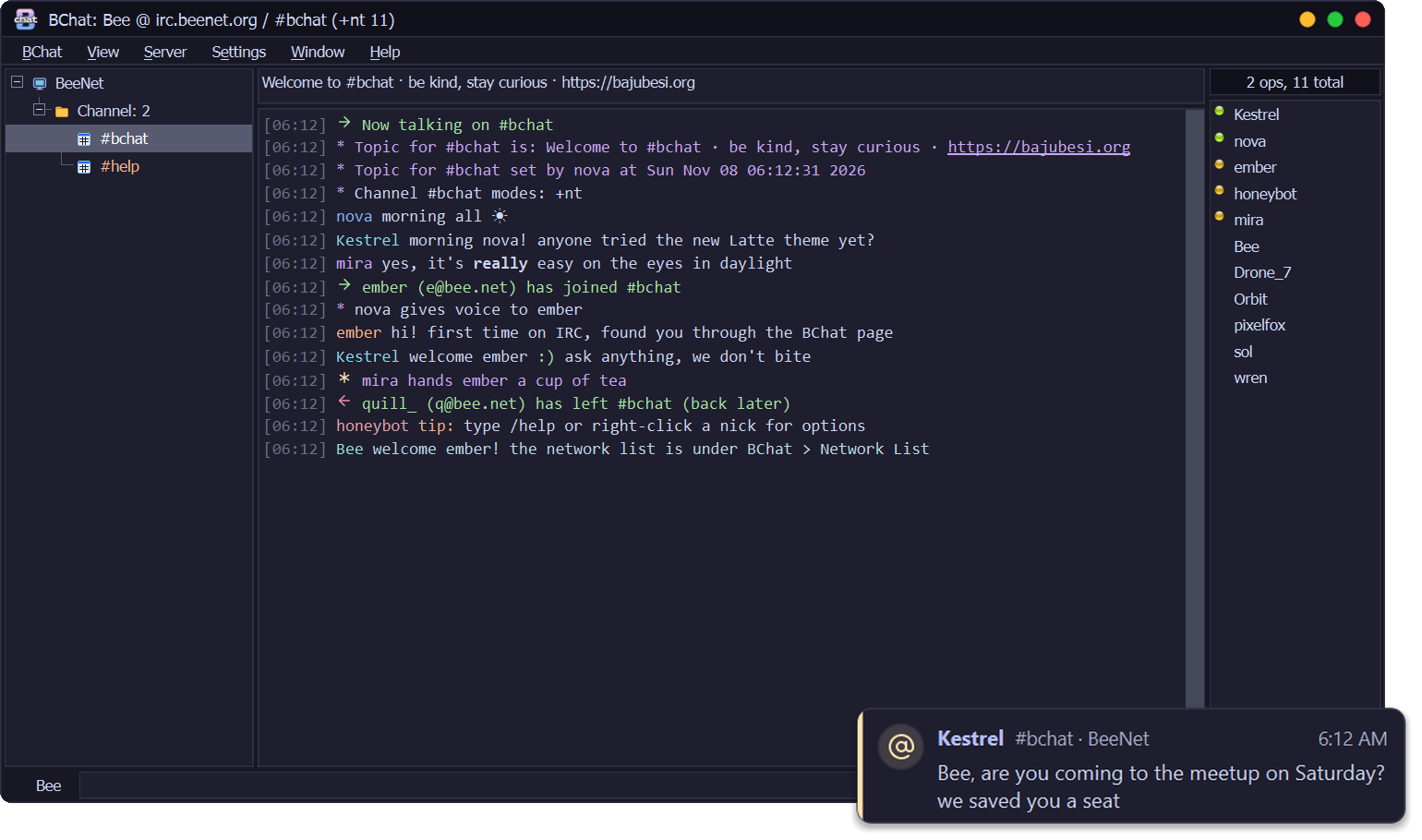
BChat 0.8.8 adds a find bar, sound and speech, router and ident support, new commands and a Settings window that fits your screen. It includes everything planned for 0.8.7.
 What's new
- Find bar (Window → Search Text...,
Ctrl+F): a bar opens under the chat and every match lights up as you type. Entergoes to the next match,Shift+Enterto the one before,Esccloses the bar.- Aa matches case and .\* takes a regular expression.
- Filter... copies every matching line into a window of its own, where you can copy them all or save them to a file.
/filter worddoes the same (-cmatch case,-rregular expression,-wa new window each time). - Settings → Windows: choose where whois replies, notices, CTCP requests and away replies show (the active window, the server tab, the Messages tab or a private chat), and what a double-click on a channel, a private chat, a server or a nick in the list does. Custom commands can use
$nick,$chanand$network. - CTCP replies can be switched off (Settings → Advanced, or
/ctcps off). Actions and file transfers keep working. - Sound (Settings → Sound): event sounds can be .wav, .mp3 or .ogg, and Volume sets how loud they all play. A sound file that can't play gets one line in the server tab.
- Speech (Settings → Sound → Speech): BChat can read highlights, private messages and notices aloud with the voices Windows already has. Pick a voice and speed and click Test. By default it only speaks while BChat isn't the active window.
/speak textreads a line,/speak offstops. The section is hidden on a PC with no voices. - Network setup (Settings → Network setup):
- Router (UPnP), off by default: Open file-transfer ports on my router automatically. A green dot means the ports are open.
- Ident (identification), off by default: Answer ident requests while connecting. BChat listens on port 113 only until you are connected.
- Socks4 and Socks4a proxies join Socks5 and HTTP, and the page shows only the rows your proxy type uses.
- Commands:
/font 12 Consolasgives one window its own font (/font -dgoes back),/linesepdraws a separator line,/userhost nickand/flushwork. - Easier to follow (Settings → Text box): Shade every other line and Line between each message.
- Settings fit your screen: every page scrolls inside a dialog that never grows past 85 % of the screen. Trusted people is its own page under File transfers. Preferences opens quickly.
 Fixed
- A received file that BChat moves into your finished files folder (on another drive, a big file) no longer makes the sender's side report a time-out.
- Closing the Check for updates window while it's still checking no longer leaves a red Update failed entry on the menu bar later.
 Good to know
- The installer is about 7 MB bigger than 0.8.6: sound and speech need Qt's multimedia and text-to-speech parts.
- UPnP and ident are off until you turn them on. BChat never opens router ports or listens on port 113 by itself.
Already using BChat?
BChat 0.1.0 to 0.8.6 offer this update by themselves: look for Update after Help. It checks the signature and installs when you quit.
DownloadBChat-0.8.8-setup.exefrom this release and run it. The installer isn't code-signed yet, so Windows SmartScreen may warn you: choose More info → Run anyway. Some antivirus programs may also stop it; see the README.
VirusTotal: none of the 70 antivirus engines that scanned the installer flags it. Inside it, BChat.exe is flagged by 2 of 71 (APEX and Zillya, machine-learning guesses they have made on earlier BChat builds too).
 Questions or problems? Reply below.
BeeServ answers from the BChat guide, and the BajuBesi crew reads every thread.
 Free, no ads. If you like it: support BChat on Ko-fi.