Welcome to bajubesi.org, become a member! Once signed in, you'll be able to participate on this site by adding your own topics and posts, as well as connect with other members through your own private inbox!
BChat 0.4.0 knows when you're behind a bouncer, logs in without a password, and makes ChanServ easy, with the new bee hexagon logo.
What's new
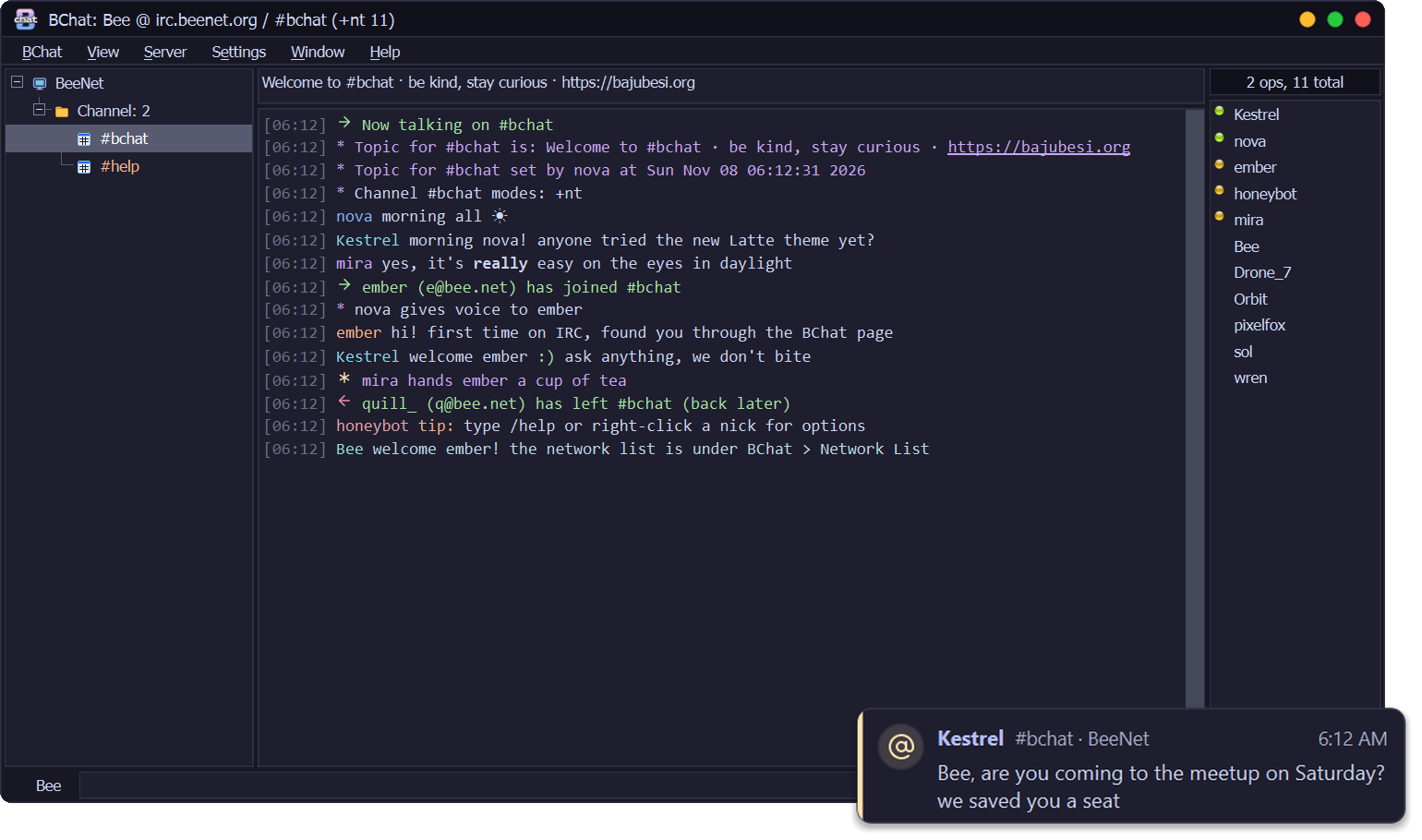
Bouncer detection: BChat knows when it's talking to ZNC, soju or psyBNC and says so once. What ZNC plays back shows under one grey line with the times it was really said, then Now live, so nothing shows twice. Hover the network to see the bouncer and how long you've been online
Log in with a certificate (SASL EXTERNAL): no password stored or sent. Make New makes one on your PC, Add to NickServ registers it, and BChat logs in with it from then on
ChanServ Access in the nick menu: give someone auto-op (@) or auto-voice (+), or take it away, without typing services commands. BChat shows what they have now and the exact line it sends (Anope and Atheme)
Skip the server's welcome message and short join and part lines, both off until you turn them on
/partall leaves every channel at once, /online shows how long you've been connected, /motd shows the welcome message any time
New logo: the BajuBesi bee hexagon, on the app, the taskbar and the installer
Already using BChat?
BChat 0.1.0, 0.2.0 and 0.3.0 offer this update by themselves: look for Update after Help. It checks the signature and installs when you quit.
First install
Download BChat-0.4.0-setup.exe from this release and run it. The installer isn't code-signed yet, so Windows SmartScreen may warn you: choose More info → Run anyway. Some antivirus programs may also stop it; see the README.
VirusTotal: none of the 66 antivirus engines that scanned the installer flagged it.
BChat 0.3.0 adds the tools mIRC users reach for every day, plus modern IRC's replies and typing, while keeping the calm XChat 2 look.
What's new
One-click problem reports: after a crash or a freeze BChat offers to send a report, and Help → Report a Problem... sends one any time. You see what is sent first; nicks, channels, addresses and passwords are replaced, and chat text is never included
Daily logs and a Logs window: a new log file every day, Window → Logs... to read and search them, and an optional clean-up of old days. Logging stays off until you turn it on, and BChat asks how long to keep them
Nick colours by nick, address or host, and an Address Book with notes for the people you know
Channel Central: topic, modes, bans, exceptions and invites in one window (double-click in a channel's text, or /channel)
/timer and /alias, with $1, $2-, $nick, $chan and |
Reply to a line (right-click, or Alt+R) and see who is typing, on networks that support it. Showing your own typing is off until you turn it on
Double-click a nick in the nick list to open a private chat, like mIRC
Start with Windows puts itself back if something removed it
Already using BChat?
BChat 0.1.0 and 0.2.0 offer this update by themselves: look for Update after Help. It checks the signature and installs when you quit.
First install
Download BChat-0.3.0-setup.exe from this release and run it. The installer isn't code-signed yet, so Windows SmartScreen may warn you: choose More info → Run anyway. Some antivirus programs may also stop it; see the README.
VirusTotal: none of the 70 antivirus engines that scanned the installer flagged it.
This site uses cookies to help personalise content, tailor your experience and to keep you logged in if you register.
By continuing to use this site, you are consenting to our use of cookies.