



Member No:#56
Joined:Nov 9, 2026
Messages:21
Reactions:4
Points:1
Awards:3
Device:
LV
0
70%
 Handle IRC as a bee does a flower
 Version v0.8.6 |  Released 19 Nov 2026 |  Platform Windows 10/11 |  Price Free, no ads |
BChat 0.8.6 makes the basics work the way IRC users expect: connecting, reconnecting, commands, flood protection and file transfers. It adds one tab for all private messages, and it includes everything planned for 0.8.4 and 0.8.5.
 What's new
- One Messages tab (Settings → General → Channels and Private Chats, off by default): tick Put all private messages in one Messages tab and each network gets one (messages) tab instead of a tab per person.
- Reply with
/msg nick message. In an empty box, Tab cycles the nicks who wrote to you last. /query nickstill opens a real private chat, and a private chat you already have open keeps getting its own lines.- Still open a private chat for nicks on my Friends list: friends keep their own tab.
- Copy the conversation into the private chat when I open one: the lines you swapped with that person in the Messages tab come along.
- Passwords stay hidden: NickServ, OPER, PASS and SASL passwords no longer show in the chat, the log, the scrollback or the Raw Log. That holds for commands you type, for lines the server echoes back, and for lines with IRCv3 tags in front.
- Reconnects pick up where you were: your away message is sent again, channel keys are remembered for the rejoin, and channels you left or closed are not joined again. Connect commands run exactly as typed, aliases included. If your nick is taken before the welcome, BChat tries your alternate nick, then adds underscores. A nick you type while offline is used on the next connect.
- If the login fails (Network List → Edit, shown for SASL and certificate logins): by default BChat now disconnects and does not retry, so it never keeps hammering a server with a bad password. Choose Stay connected without logging in to keep the old behaviour. "Already logged in" is no longer treated as a failure.
- Connecting settings (Settings → Advanced → Connecting):
- Retry: give up after N tries (0 = keep trying, the default).
- Connect time-out: give up on a server that never answers (30 seconds by default).
- Invisible mode (+i): on by default. Only people who share a channel with you or know your nick can find you.
- Move a server to the top of its network's list when I connect to it: off by default. Next time, the server that worked is tried first.
- Flood protection: a new Flood page in Settings. Lines you type go out at once, even behind a long paste or a queued burst. Automatic lines are paced so the server doesn't kick you for flooding.
/floodworks as in mIRC. - Commands:
/ban,/kickbanand/ignoretake the ban types 0 to 19. For someone whose address BChat doesn't know yet, they look it up first./topic,/kickand/banwork with a channel name, as do/mode #and/msg =nick(direct chat)./notify -rand+nickwork, and/ignoreand/bantake their switches.- Long
/msg,/me,/noticeand/saylines are split so nothing is cut off. - Text starting with
!is sent as chat. - Typing:
- Each tab keeps its own history and its unsent draft.
- Tab completion keeps the text after the cursor and completes the nicks of open private chats.
/msg+ Tab fills in the last person who wrote to you. - Ctrl+Tab switches tabs, and an empty line is never sent.
- File transfers:
- A new File already exists dialog lets you Resume, Overwrite, Rename or Cancel. Before, BChat quietly saved a renamed copy.
- New settings: time-outs for offers and idle transfers, what auto-accept does when the file exists, and a list of file types to never accept (or to accept only).
/dcc ignoreworks as in mIRC.- Transfers past 4 GB, resumes and empty files are handled correctly.
- Bouncers (ZNC): BChat no longer reads ZNC's
*statuslines to guess when the bouncer lost the IRC server. A bouncer is treated like any other server: ZNC's own joins and name lists keep your channels up to date. If you want channels emptied when ZNC loses the server, load ZNC's own module:/znc loadmod disconkick. - Smaller fixes:
- Playback from a bouncer no longer triggers alerts, and highlights see through colour codes.
- Your friends list survives reconnects and long lists.
/operanswers show in the tab where you typed it.- Odd server lines can no longer stop BChat reading.
/listworks when used twice.- Links in brackets open correctly.
 BChat's own values
The mIRC help doesn't say what these should be, so these values are BChat's own choice:- File transfers: the default list of file types to never accept (15 types), and the time-outs (120 seconds for an offer, 300 seconds for an idle transfer).
- The "Reconnected." wording after a reconnect.
- The nick fallback: your alternate nick first, then underscores.
- Flood protection: the queue sizes (400 bytes, 10 lines, 2 per person, 30 seconds ignore). These numbers come from the help's example, not from a stated default.
- How long BChat remembers a ping reply: 120 seconds.
- When a login fails: the two choices, and Disconnect, don't retry as the default.
- Retry: 0 by default (keep trying).
- Connect time-out: 30 seconds.
- One Messages tab per network, not one for all networks together.
Good to know
If a certificate login fails, BChat says to log in once with your password. With the new default, set Log in with to Password for that one connect, or choose Stay connected without logging in.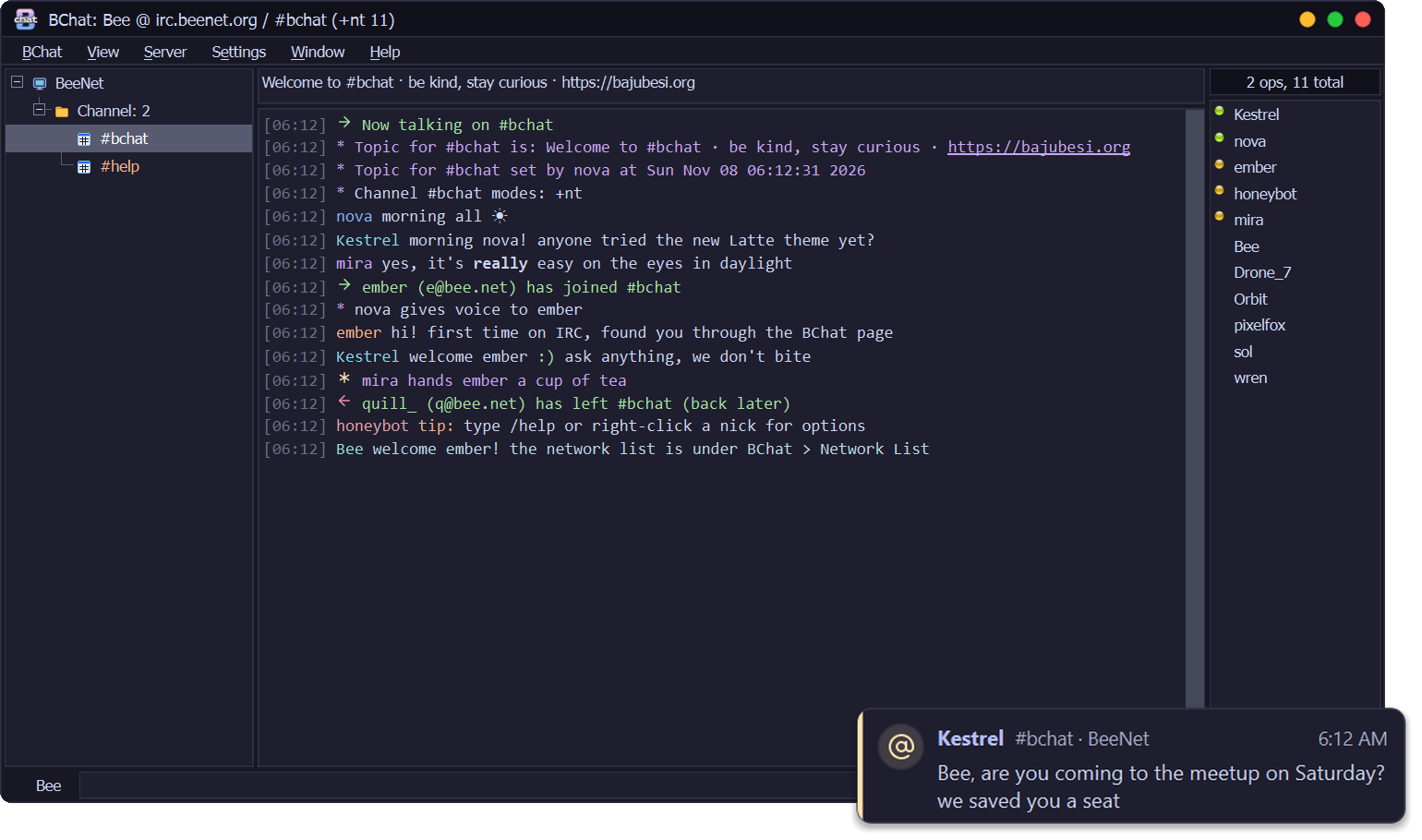
Already using BChat?
BChat 0.1.0 to 0.8.3 offer this update by themselves: look for Update after Help. It checks the signature and installs when you quit.
First install
DownloadBChat-0.8.6-setup.exefrom this release and run it. The installer isn't code-signed yet, so Windows SmartScreen may warn you: choose More info → Run anyway. Some antivirus programs may also stop it; see the README.
VirusTotal: 1 of the 69 antivirus engines that scanned the installer flags it (DeepInstinct, a machine-learning guess). Inside it, BChat.exe is flagged by 1 of 71 (APEX, a machine-learning guess it has made on earlier BChat builds too).
 Questions or problems? Reply below.
BeeServ answers from the BChat guide, and the BajuBesi crew reads every thread.
 Free, no ads. If you like it: support BChat on Ko-fi.